lexisOS
Setting things up…
Setting things up…
Loading features…
Build a workflow from triggers, branching conditions, delays, and 30 step types spanning LinkedIn, email, SMS, and CRM actions.
Someone starts it by hand, on a Lead, Contact, or list.
Runs on a cron-style schedule you set.
Fires on a role change, a company change, or a keyword in a LinkedIn post.
An external tool posts to a per-org URL you generate, with its own secret.
Fires on an in-product event, such as another workflow reaching a goal.
Every LinkedIn, email, and SMS send step carries its own approval setting. Set it to require approval and the step writes a Draft, notifies the approver, and the run waits until someone signs off — that pause is enforced by the workflow itself, not by the interface. Set it to send automatically and it goes out under your account’s caps as soon as the step runs. The defaults aren’t uniform, so check the setting before you publish: LinkedIn connect, message, like, comment, and post default to requiring approval; the other five LinkedIn actions, plus every email and SMS send step, default to sending automatically. The 16 starter templates that ship with LexisOS already turn approval on for their send steps.
The run stops here until a person signs off.
The builder is a genuine node-graph editor, not a wizard with a few dropdowns — branching conditions, delays, and a coloured minimap for a graph that’s grown large. Publish-time validation catches an unreachable node or a cycle before a workflow goes live; ordinary saving stays permissive so you can always come back and fix it.
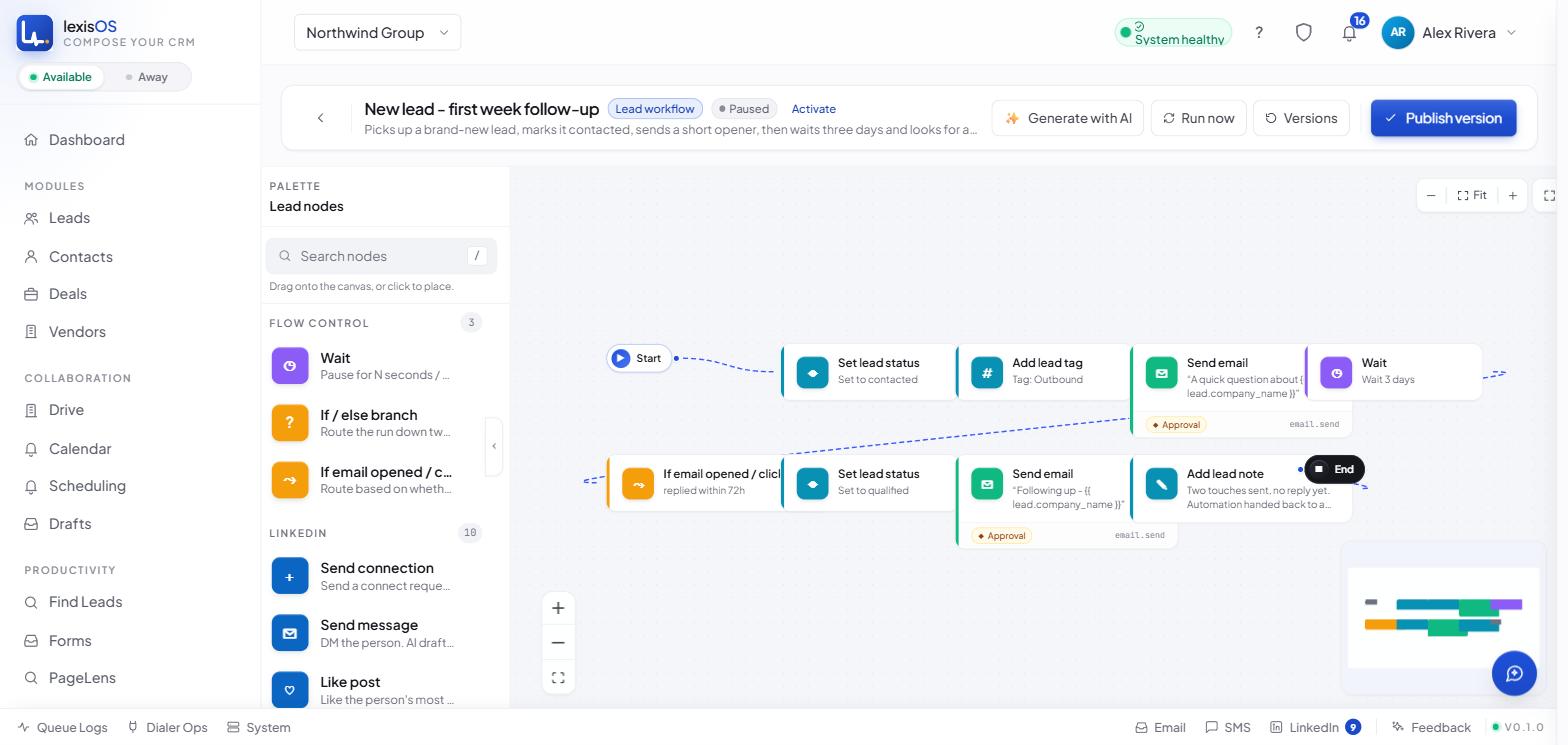
Node palette
Drag or click to add any of the 30 step types.
Branching
A visual if/else condition builder — no code required.
Minimap
Colour-coded per node kind, for navigating a large graph.
Fullscreen mode
Built for focused editing, without the rest of the app around it.
| Step | Default without changing anything |
|---|---|
| LinkedIn connect / message / like / comment / post | Requires approval |
| LinkedIn visit profile / follow / unfollow / withdraw invite / endorse skill | Sends automatically |
| Email send | Sends automatically |
| SMS send | Sends automatically |
Start free and build from one of 16 starter templates, or a blank canvas. Every workflow is created paused, so nothing runs until you activate it.